Extension
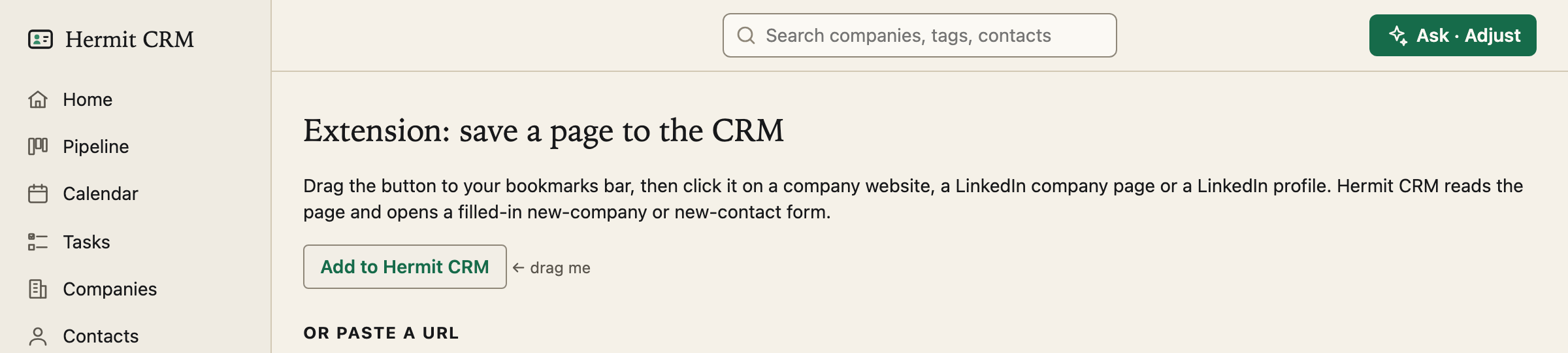
The competition for a CRM is the record never getting written. The extension is the short path: you are on a company’s website or on a LinkedIn page, you click one bookmark, and the form opens with the fields filled in.
In the left navigation: Extension
Screenshot of the released version on made-up demo data. Select it to open it full size.
One bookmark, in your own browser
The page gives you a link to drag to your bookmarks bar, called Add to Hermit CRM. The link points at the address your Hermit is running on, so nothing leaves your computer except to your own CRM. Prefer no bookmark? Paste a company website, a LinkedIn company page or a profile into the box on the same page and press Read the page.
A form that is already filled in
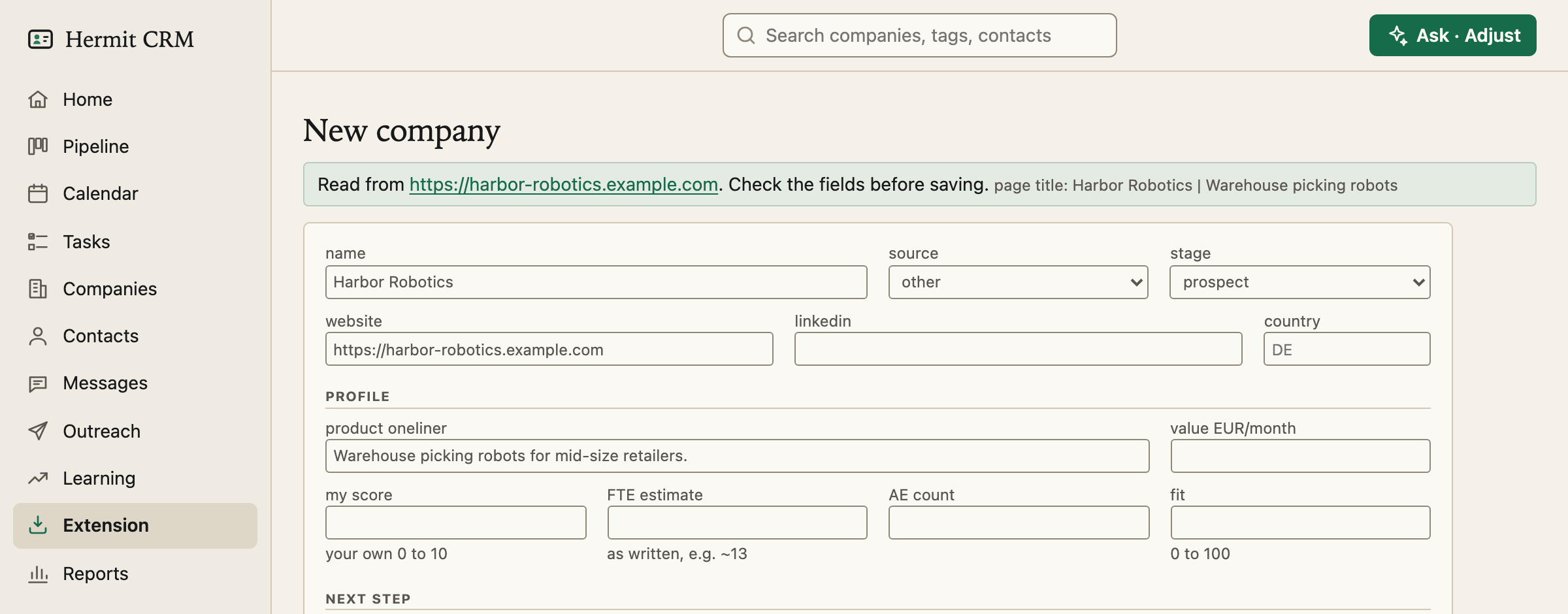
On a company website it reads the page’s own metadata and proposes the company name, the website, the LinkedIn company page the site links to, the country, a headcount hint and a one-line description. Your computer fetches the page directly: no AI, and nothing is sent to anyone else. The guesses are guesses, so the form says to check the fields, and nothing is written until you press Create company.
A LinkedIn profile makes a contact
On a profile you are logged in to, the bookmark reads the page you are already looking at: the name, the current role, the company and its LinkedIn page, and the location. An email is read only if you have opened *Contact info* first. It fetches nothing from LinkedIn and copies no cookies. When LinkedIn changes its layout, a field it cannot place stays empty rather than wrong. Three people from one company land on one company record, not three.
Add what you see to a draft
On the profile of someone already in your CRM whose outreach draft is waiting, the bookmark opens Add to research instead, with the top of the profile, their About text and their own recent posts and comments. Trim what you like and press the button: what the AI finds is saved as notes on the contact, with the profile as the source, and the page text itself is not stored.
No duplicates
Before it offers a form, it looks for an existing company with that website or LinkedIn page. If it finds one it opens that record, so a second click on the same bookmark never makes a copy. A profile you saved before opens that contact, however you reached it.
Read the full Extension page in the docs
Related pages
- Companies: Sortable tables of companies, and one timeline per company of every email, call and meeting.
- Contacts: Every person across your companies, with a page of their own: roles, history and tasks.
- Settings: Your name, mail and calendar capture, backups, fields, deal stages and outcomes, set in the browser.
Hermit CRM is a free, open-source CRM for founders, freelancers and anyone doing their own sales. It runs on your Mac or Linux computer and keeps every company, contact and conversation as a Markdown file in a git folder on your own disk. A local web app gives you a pipeline board, a calendar of next steps, message drafts and reports. AI tools such as Claude Code, Codex or Claude Desktop can read and update the pipeline through the files, a small CLI or the built-in MCP server. It is alpha software under the Apache License 2.0, with no warranty and no support.