Companies
Every company is one folder with one Markdown file. The Companies page lists them all, and each company has a page that holds everything you know about the account.
In the left navigation: Companies
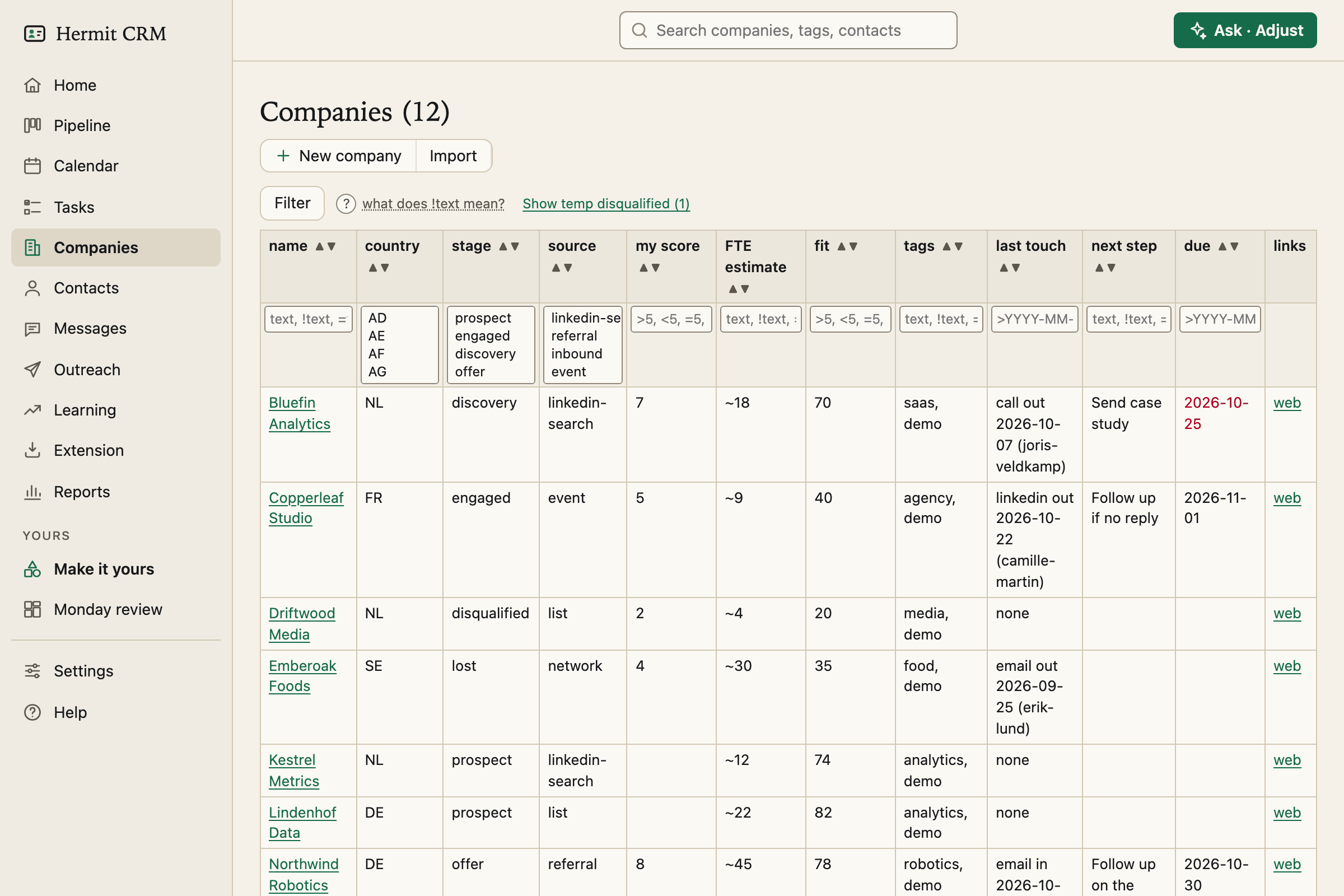
Screenshot of the released version on made-up demo data. Select it to open it full size.
The table
Name, country, stage, source, any field of your own that you asked to show here, tags, last touch, next step and due date, with website and LinkedIn links. Every column has a filter and sort arrows, and the search box at the top of every page matches company names, tags, contact names and contact emails. Parked companies are hidden until you ask for them.
The company page
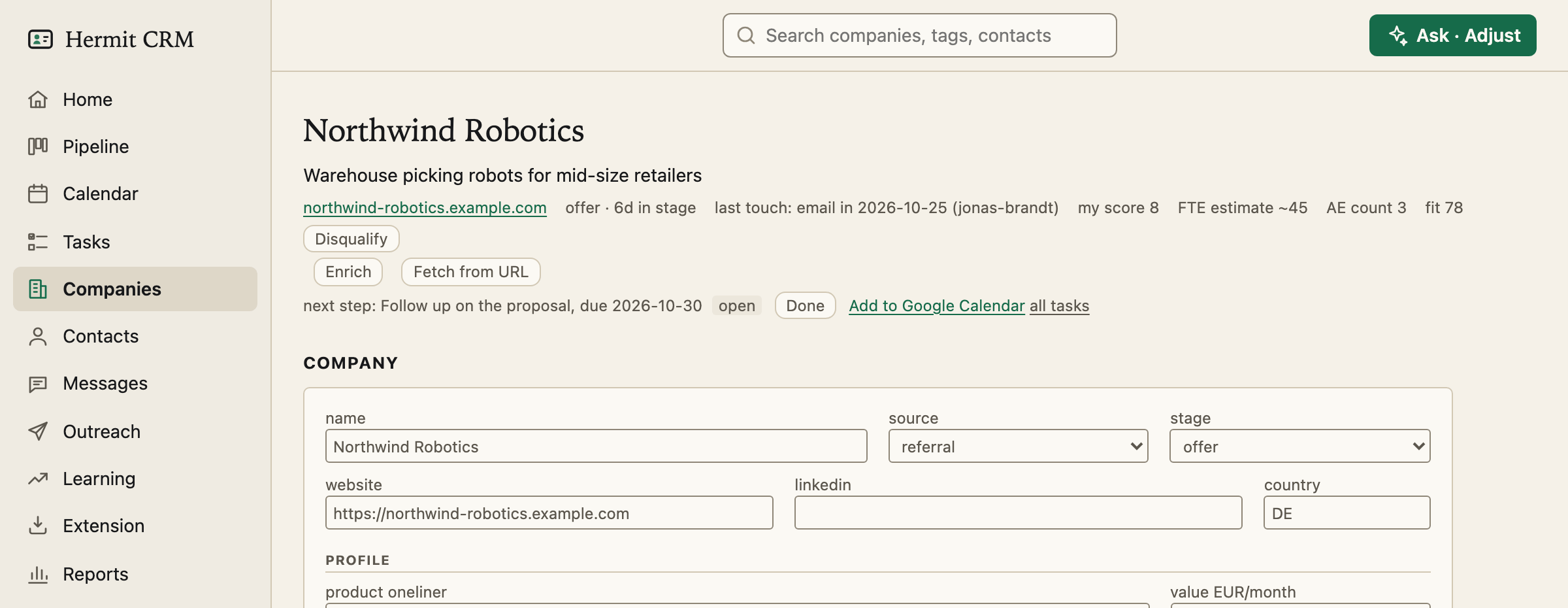
Everything about one account on one page: its fields, the next step with a due date, its contacts, its tasks, company notes, a merge box and the timeline of every email, call, LinkedIn message and meeting, newest first. A note on the company shows on its contacts’ pages as well, and a draft can use it. A collapsed Stage history shows when it moved between stages.
Fields of your own
The fields Hermit ships with are a starting point. A score, a headcount, a renewal date: describe the field and your AI agent adds it to the company page and, if you want, to this table. They are plain keys in the file’s front matter, so they work in filters, reports and message drafts.
Four ways in, no way to lose one by accident
Add a company by hand, import a spreadsheet (CSV, TSV, .xlsx or a pasted table), capture it from any web page with the Extension, or let BCC and calendar capture create it when you email or meet someone at a new domain. Fetch from URL fills empty fields from the company’s own website with no AI, and Enrich uses an AI command-line tool you already have. Hermit has no delete button for a company: you disqualify it instead, and git keeps its history either way. Two companies that turned out to be one can be merged.
Read the full Companies page in the docs
Related pages
Hermit CRM is a free, open-source CRM for founders, freelancers and anyone doing their own sales. It runs on your Mac or Linux computer and keeps every company, contact and conversation as a Markdown file in a git folder on your own disk. A local web app gives you a pipeline board, a calendar of next steps, message drafts and reports. AI tools such as Claude Code, Codex or Claude Desktop can read and update the pipeline through the files, a small CLI or the built-in MCP server. It is alpha software under the Apache License 2.0, with no warranty and no support.