Contacts
Contacts lists every person across all your companies. Each person has a page with what you last did, who is waiting on whom, and a button that starts an outreach draft for them.
In the left navigation: Contacts
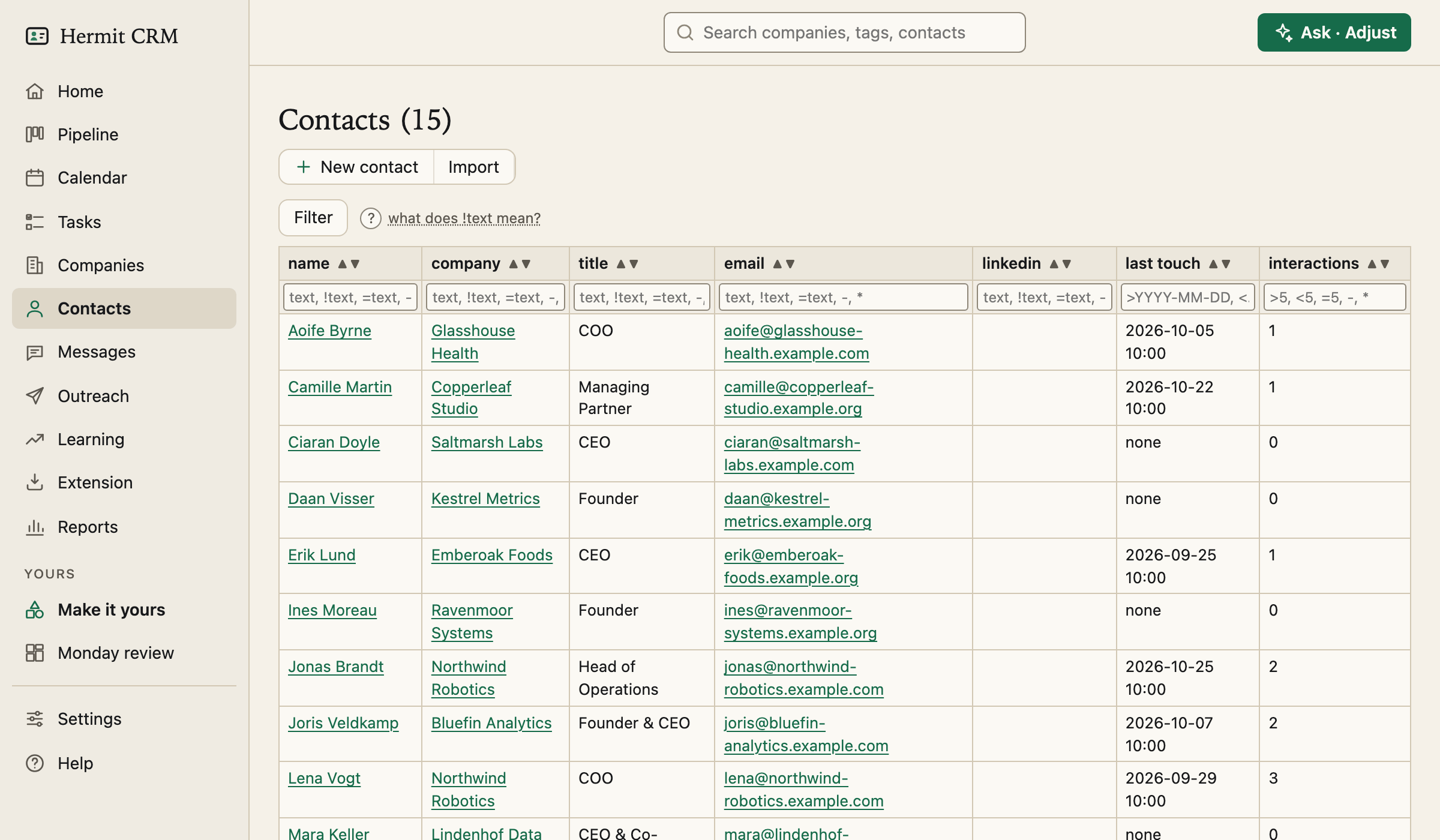
Screenshot of the released version on made-up demo data. Select it to open it full size.
Everyone in one table
Name, company, title, email, LinkedIn, last touch and the number of interactions, with a filter and sort arrows on every column. The search at the top of the page matches name, email, title and company.
A page per person
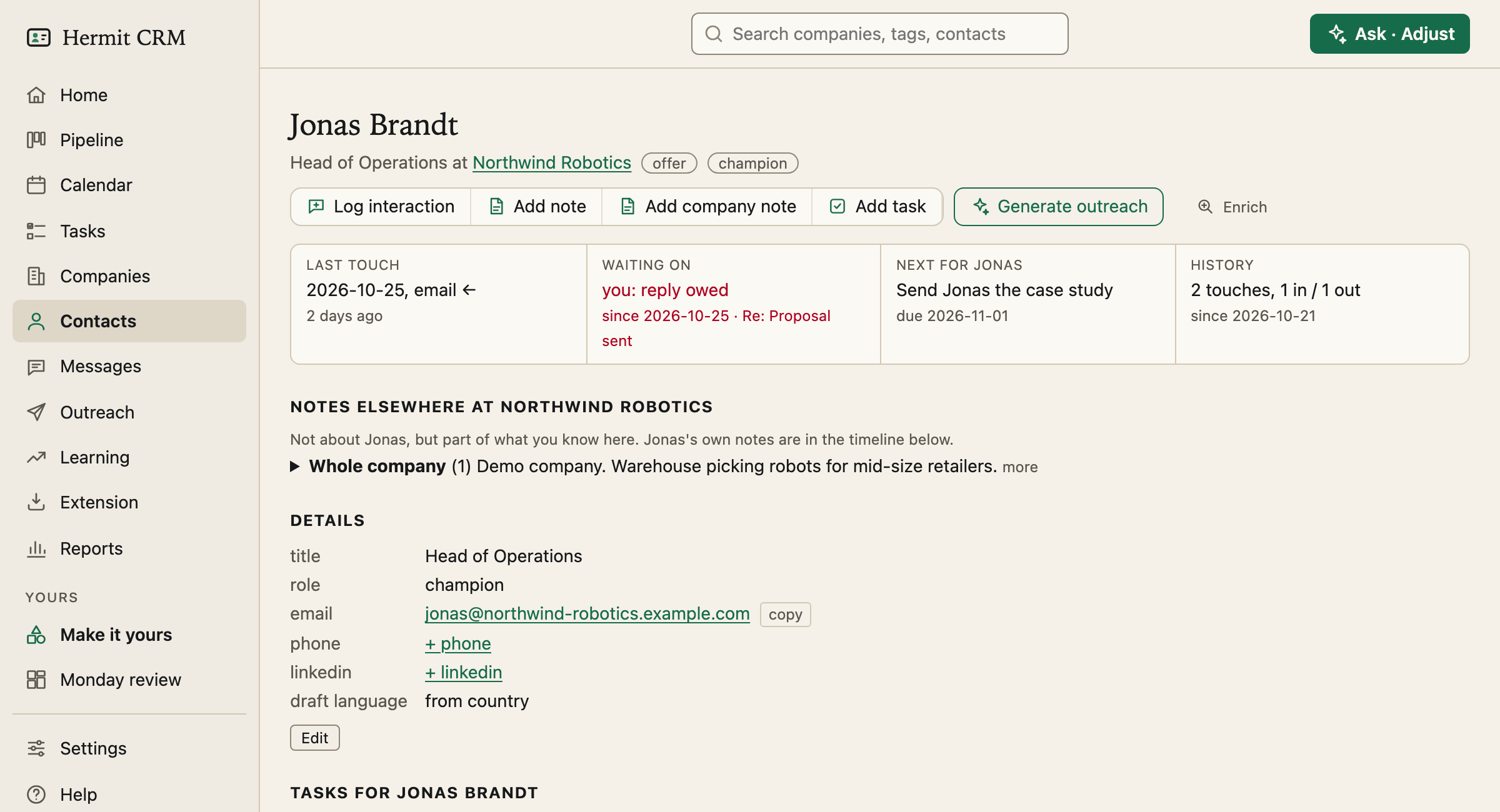
At the top, four boxes: last touch, waiting on (red when you owe a reply), next for the person, and history in touches in and out. Below: the details, with a role (champion, decision-maker, influencer or gatekeeper), the tasks you owe this person and a form to log an interaction. There is no notes field: what you know about a person is a note on their timeline.
From a person to a draft
Generate outreach in the row of buttons opens the Outreach page with this person ready to draft, and while a draft is open the button says Open outreach draft instead. The notes you keep on a person are the notes the draft is written from. Email addresses have a copy button, so one click puts one on the clipboard.
Log every touch
An email, a LinkedIn message, a call, a WhatsApp message or a meeting, in or out, with the text kept exactly as you pasted it. A note is a memo that shows on the timeline but never counts as contact made. Logging a first touch on a prospect moves the company to engaged in the same commit.
Where people come from
Add a person from a company page, import a list, capture a LinkedIn profile with the Extension, or let BCC and calendar capture add a new person at a company whose domain is known. Delete a contact and their interactions stay on the company, so the record survives. Two entries for the same person can be merged.
Read the full Contacts page in the docs
Related pages
Hermit CRM is a free, open-source CRM for founders, freelancers and anyone doing their own sales. It runs on your Mac or Linux computer and keeps every company, contact and conversation as a Markdown file in a git folder on your own disk. A local web app gives you a pipeline board, a calendar of next steps, message drafts and reports. AI tools such as Claude Code, Codex or Claude Desktop can read and update the pipeline through the files, a small CLI or the built-in MCP server. It is alpha software under the Apache License 2.0, with no warranty and no support.