Reports
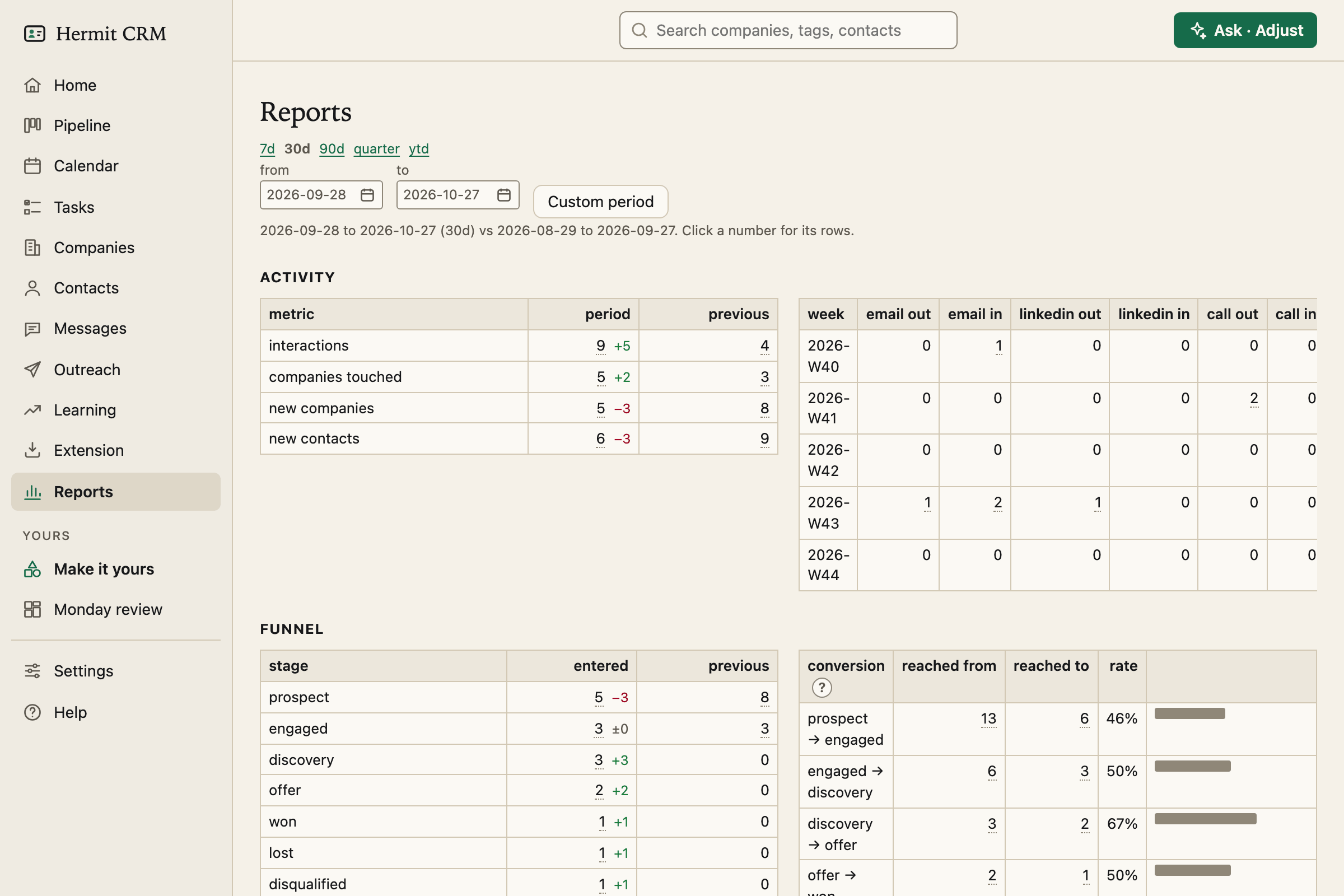
Reports are numbers for a period, each with its change against the period before. Every number opens the rows behind it, so a figure is never a dead end.
In the left navigation: Reports
Screenshot of the released version on made-up demo data. Select it to open it full size.
A period, and the one before it
Choose 7 days, 30 days (the default), 90 days, the quarter, the year so far, or your own dates. Each figure shows its change against the previous period of the same length. The command line prints the same report: hermitcrm report --days 30, or --md for Markdown tables.
Six sections
- Activity: interactions per week by channel and direction, companies touched, new companies and contacts.
- Funnel: how many companies entered each stage, the conversion from one stage to the next, the median days in each stage, and the pipeline now with its monthly value.
- Outcomes: won, lost and disqualified, the win rate, and the top reasons deals were lost.
- Messages: how many were sent and how they fared, by language, by channel and for the five most reused texts.
- Sources: which source created companies, and which source won them.
- Hygiene: overdue next steps, silent accounts and contacts without an email.
Plain tables
Reports are tables with small bars, with no charts library and nothing to load. Want a different view? Describe it, and your own AI agent builds it as a dashboard that you pin to the sidebar.
Read the full Reports page in the docs
Related pages
- Pipeline: A board from prospect to won, plus a follow-up radar for unanswered threads.
- Messages: Every message you sent, with what came of it, so you can see which wording gets answers.
- Make it yours: Pages of your own with lists, counts and bar charts. Describe one in a sentence, your AI builds it, and you pin it to the sidebar.
Hermit CRM is a free, open-source CRM for founders, freelancers and anyone doing their own sales. It runs on your Mac or Linux computer and keeps every company, contact and conversation as a Markdown file in a git folder on your own disk. A local web app gives you a pipeline board, a calendar of next steps, message drafts and reports. AI tools such as Claude Code, Codex or Claude Desktop can read and update the pipeline through the files, a small CLI or the built-in MCP server. It is alpha software under the Apache License 2.0, with no warranty and no support.