Messages
Messages is the log of everything you sent, newest first, with what came of each message. It is how you find out which wording gets answers.
In the left navigation: Messages
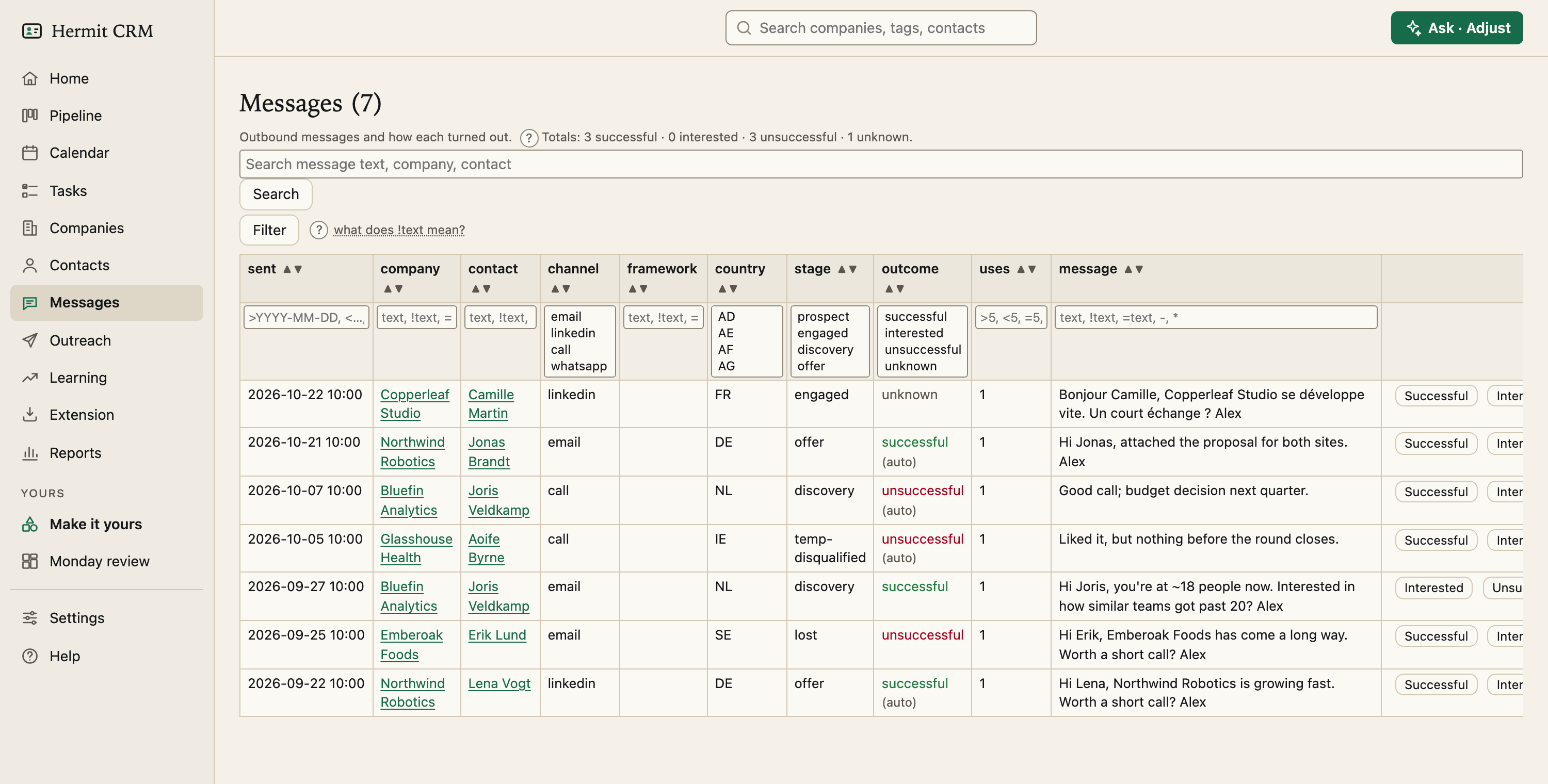
Screenshot of the released version on made-up demo data. Select it to open it full size.
Every message, with its outcome
Sent, company, contact, channel, the framework a first touch was written with, country, stage, outcome, how often that exact text was used, and the message itself. Every column has a filter and sort arrows, and the search box matches the message text, the company and the contact. A line at the top counts each outcome.
What counts as a message
An outbound interaction with a body, on any channel except a meeting. Calls with notes count too. A logged touch without text does not. Hermit keeps the text exactly as you pasted it.
An outcome you set, or one it works out
Set an outcome by hand with the buttons in the last column, or leave it. Otherwise it is worked out: a later message from the same contact makes it successful, no reply within 14 days makes it unsuccessful, and before that it is unknown. Worked-out values are marked *(auto)*. The list of outcomes and the 14 days are yours to change under Settings.
From messages to learning
The Reports page breaks outcomes down by language, by channel and for your most reused texts, so you can see whether the German version beats the English one.
Read the full Messages page in the docs
Related pages
- Contacts: Every person across your companies, with a page of their own: roles, history and tasks.
- Reports: Weekly activity, funnel and conversion, time in stage, and which messages get answers.
- Settings: Your name, mail and calendar capture, backups, fields, deal stages and outcomes, set in the browser.
Hermit CRM is a free, open-source CRM for founders, freelancers and anyone doing their own sales. It runs on your Mac or Linux computer and keeps every company, contact and conversation as a Markdown file in a git folder on your own disk. A local web app gives you a pipeline board, a calendar of next steps, message drafts and reports. AI tools such as Claude Code, Codex or Claude Desktop can read and update the pipeline through the files, a small CLI or the built-in MCP server. It is alpha software under the Apache License 2.0, with no warranty and no support.