Outreach
Outreach is where Hermit CRM writes the first message and you decide what goes out. It reads what a company’s website says, drafts a short message in your own voice and in the contact’s language, checks it against rules and puts it in front of you. Nothing is sent that you did not approve.
In the left navigation: Outreach
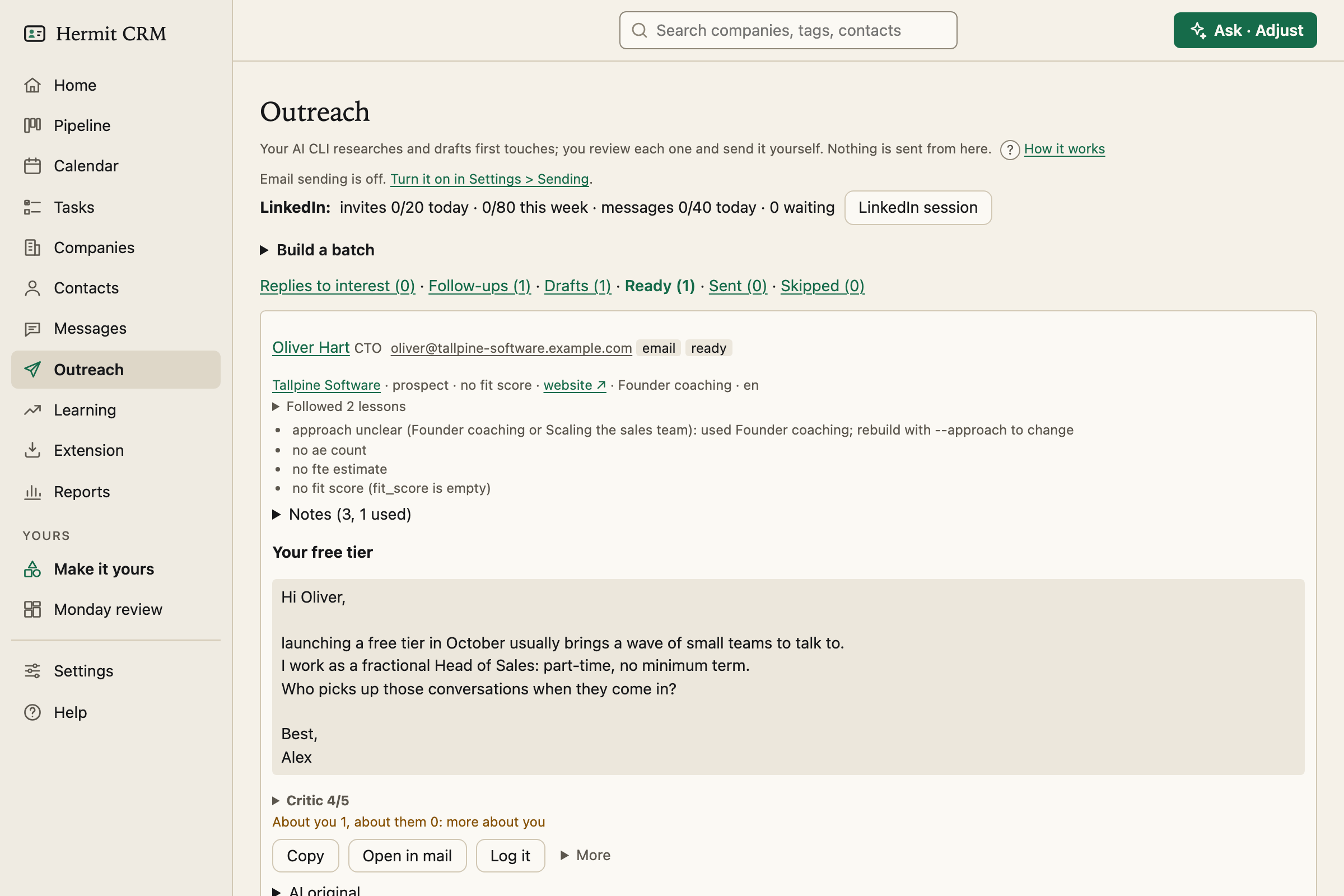
Screenshot of the released version on made-up demo data. Select it to open it full size.
Start from one person
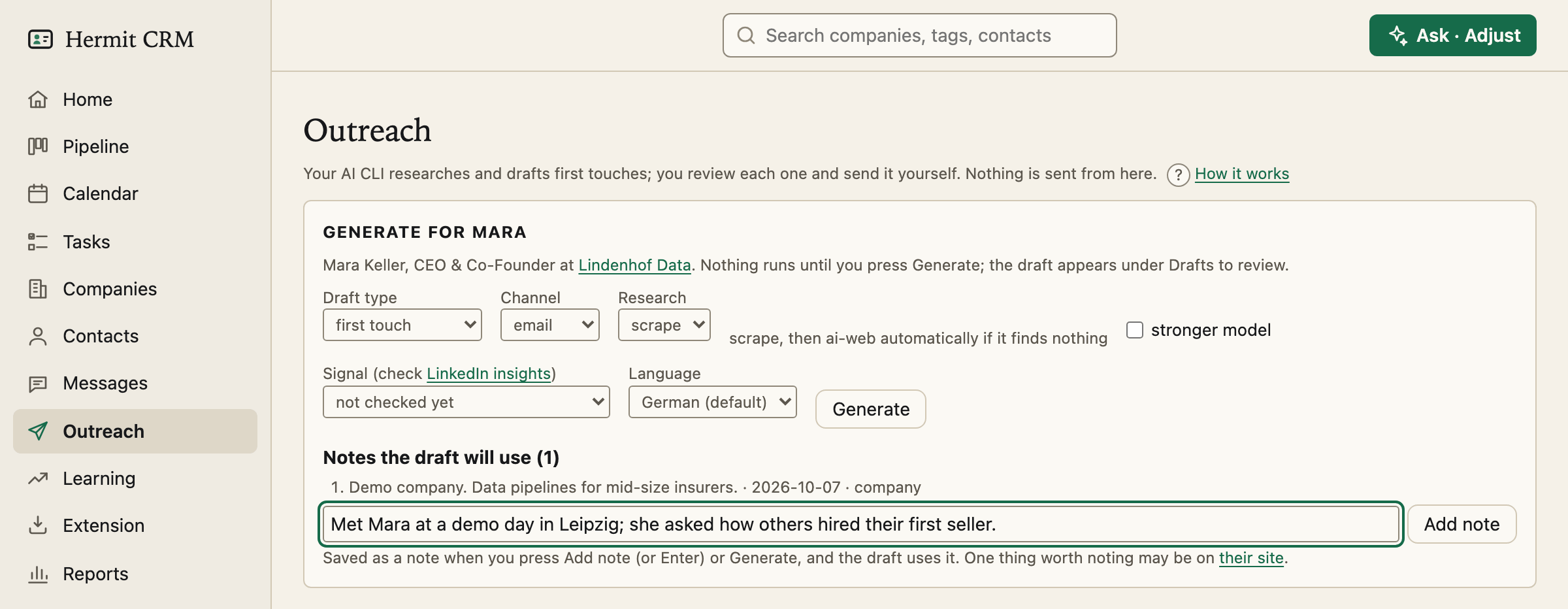
Generate outreach on a contact’s page opens the Generate panel for that person. It picks the draft type from your history: a first touch, a reply to someone who showed interest, or a follow-up to a message nobody answered. You choose the channel, how much research it does, a signal you read off their LinkedIn profile and the language of this message. Nothing runs until you press Generate.
Or a whole batch, with a preview first
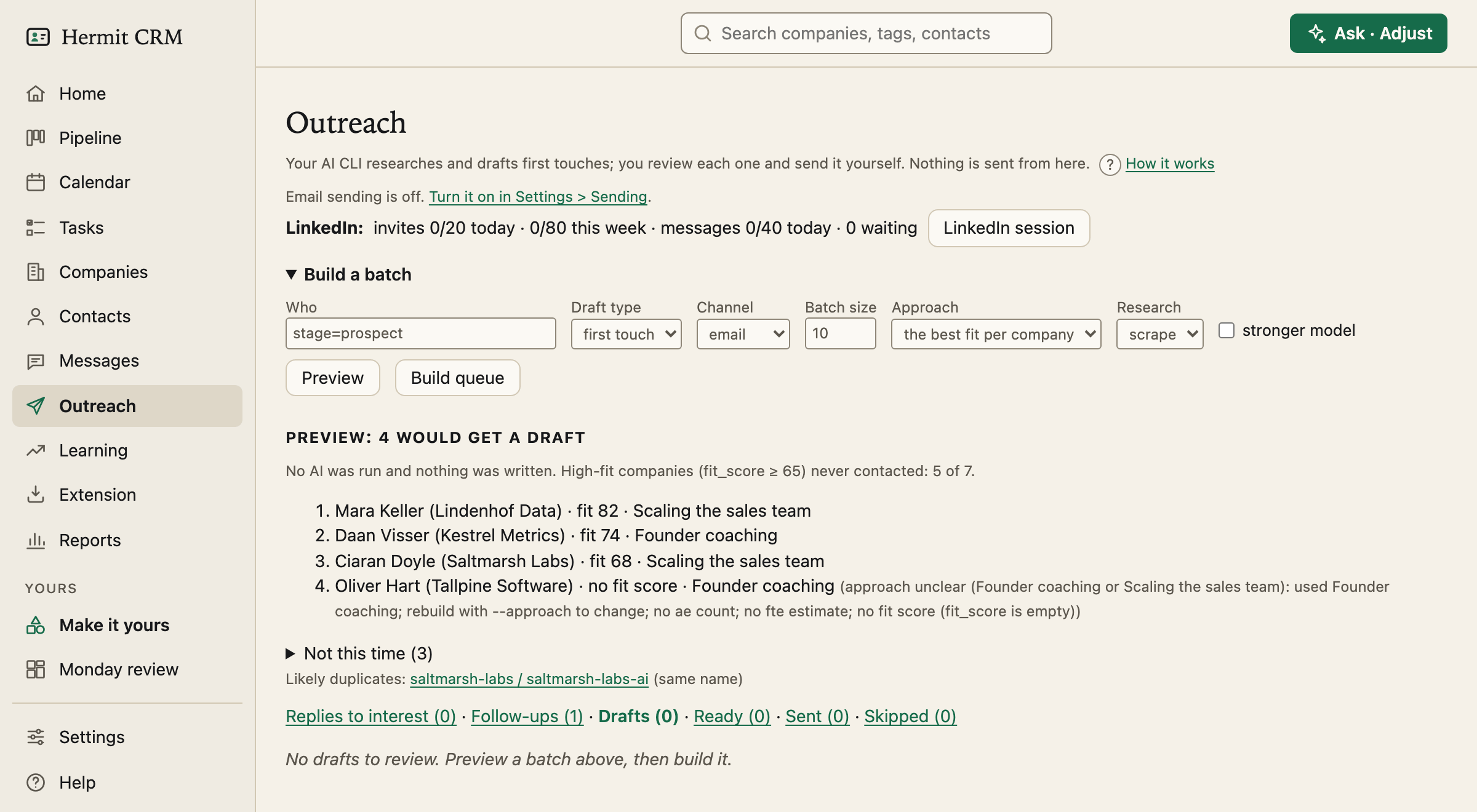
Build a batch takes the same filter as the Companies page, such as stage=prospect; country=DE, how many drafts you want and which approach from your playbook. Preview shows who would get a draft, highest fit first, and why the others are left out (a closed deal, a do-not-contact tag, someone you wrote to this month). No AI runs and nothing is written. Build queue then researches and drafts one person at a time, and each card appears as it is done.
A card you can check at a glance
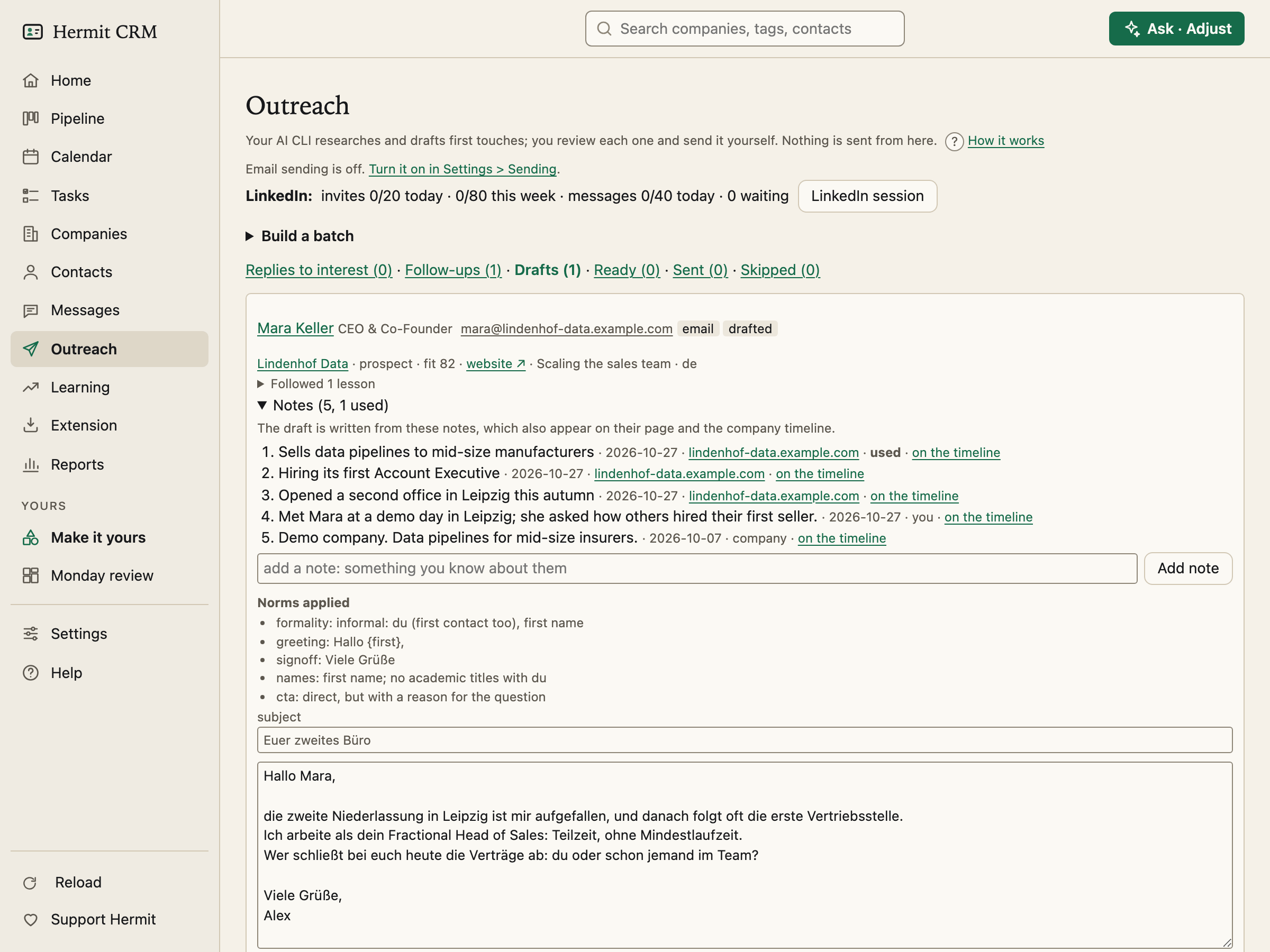
Each card shows the person and company, what the research found with the source of every point, the draft and how it did on its checks.
- The checks are rules, not AI: exactly one question, no opening with “I”, no calendar link or proposed time, the length of the channel, and no proof that does not exist.
- A critic scores the draft from 1 to 5 on relevance, how personal it is, tone and honesty. It is a guide: a low score never blocks you.
- About you, about them: a count of the words that speak of you against the words that speak of them, with a warning when the message is mostly about you.
- Your edits are kept. The AI’s draft stays under *AI original*, and each change you make is a tracked edit with the reason you gave.
Notes: what the draft is written from
Research saves what it finds as notes on the contact, one per finding, each with its source and a confidence. They are the same notes you add yourself on their page, and the card lists the ones the draft used. Add a note and Regenerate, and the new draft reads it. A note you wrote counts as a known fact and never goes stale. The web-research AI never sees your notes.
Frameworks: a recipe for a first message
A framework gives a first message its parts, its length and what it asks. Eight come built in: the house style and seven well-known structures, such as trigger, tension, trust and problem, solution, question. Give each approach in your playbook its own, or write a batch with one (hermitcrm outreach build --framework ID). Add your own in frameworks.toml. When a framework needs something the research did not find, such as a premise or a personal connection, the draft falls back to the approach’s default and the card says so. Every message records its framework, and the Messages page shows it.
Replies to interest, and follow-ups
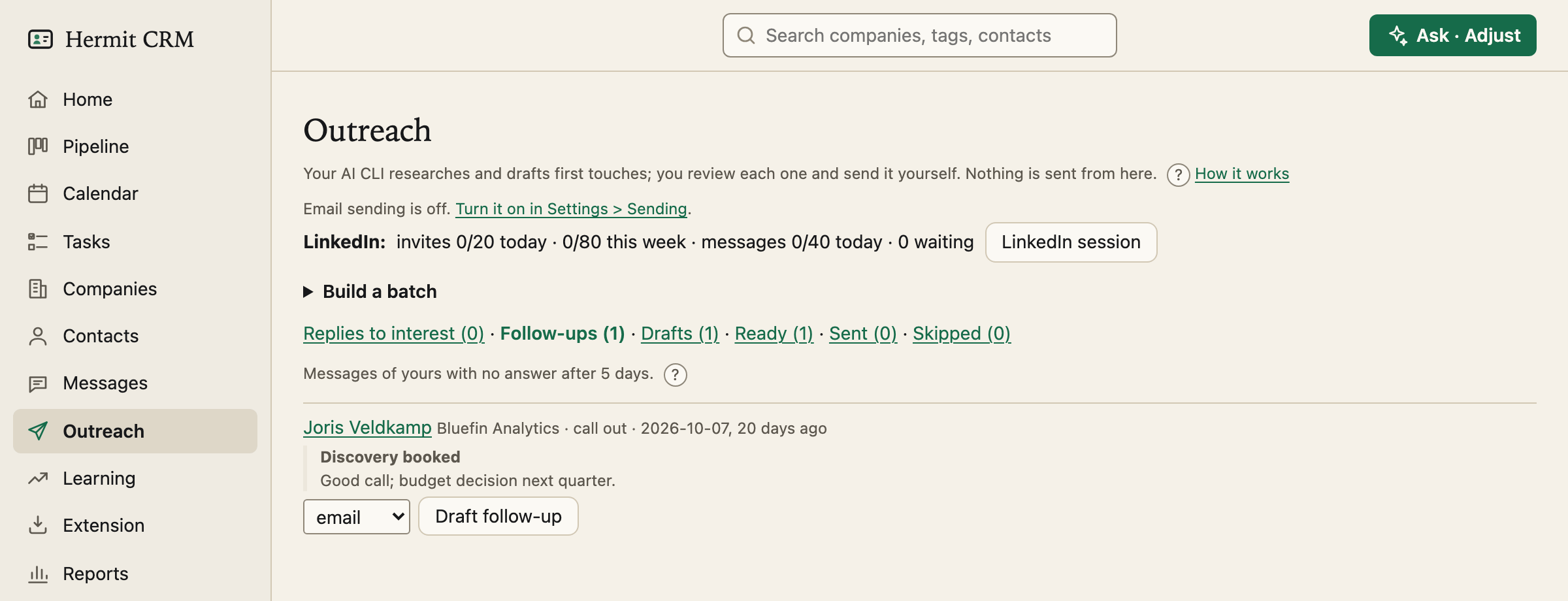
Replies to interest comes first, because that is where deals leak: someone answered and wants to know more. Hermit lists every reply you owe, can check whether a reply shows interest, and drafts an answer from their words, with one proof line and one question. Follow-ups lists messages nobody answered after five days (the same rule as the follow-up list on the Pipeline) and drafts a short one with an easy way out.
Approve, copy, log
Mark ready approves the text exactly as it is in the box. A ready card has Copy, Open in mail and Log it, and logging the message marks it sent. An email address copies with one click as well. Hermit never sends a message you did not approve.
Sending from the app, if you want it
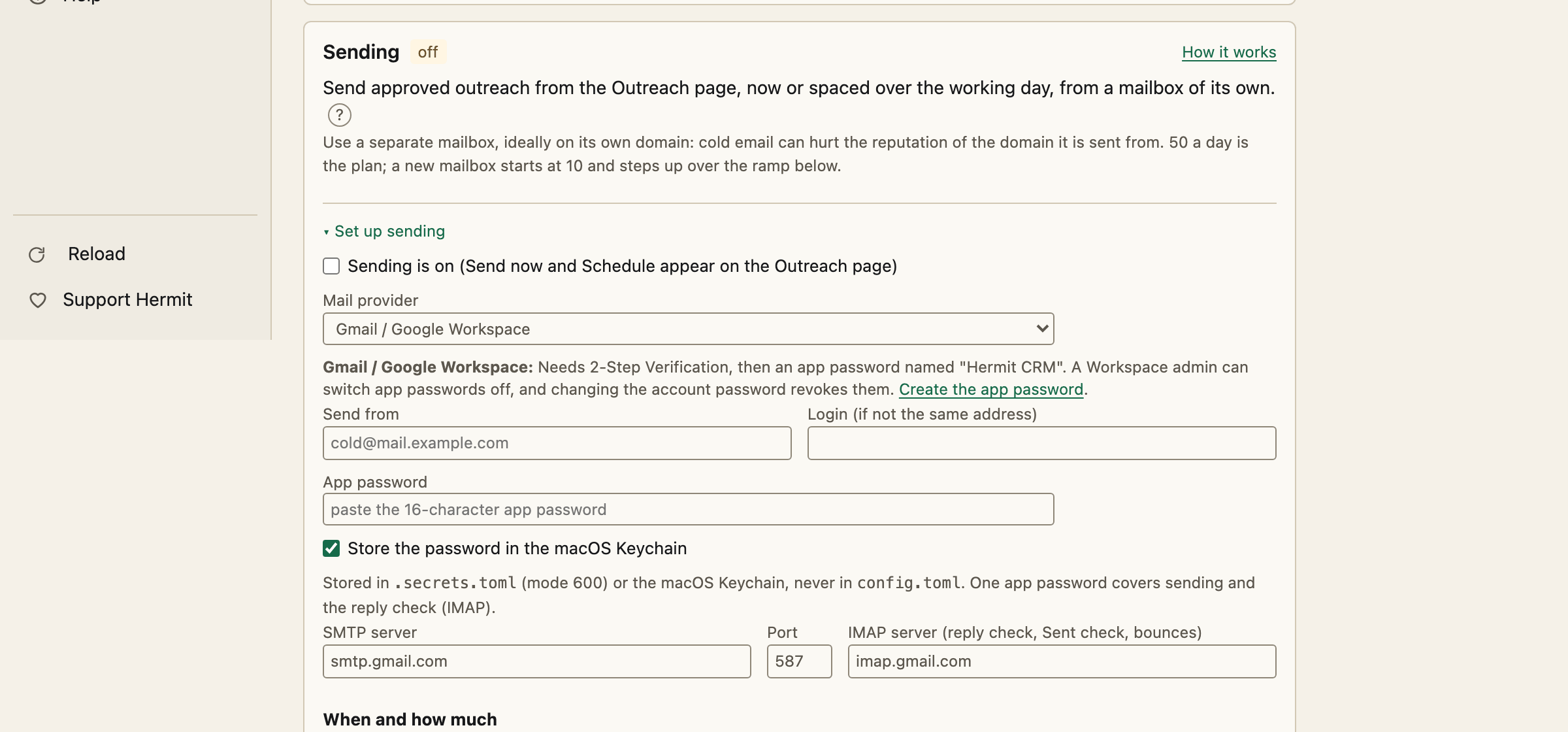
Sending is off until you turn it on under Settings, Email and calendar, Sending. Use a mailbox of its own with an app password, because cold email can hurt the domain it is sent from. Then an approved email has Send now and Schedule. Scheduled mail goes out one at a time in your working hours, with a daily limit that starts at 10 and steps up, and a day between two mails to one company. Before every send Hermit checks again that the text is still what you approved and that nobody has written to you. Pause stops everything at once, and bounces and opt-outs go on a suppression list.
LinkedIn, without automation
LinkedIn forbids automating messages, so Hermit does not. A paced session puts one approved note in front of you at a time with a countdown, under daily and weekly limits. You send each one on linkedin.com yourself, and Hermit copies the text, opens the profile and logs what you sent.
Every step is a file and a commit
Each draft is one Markdown file in outreach/, with the message below its front matter, and each step is one commit that hermitcrm undo takes back. The command line does the same steps: hermitcrm outreach preview, build, list, show, ready and skip. It needs an approach filled in your playbook and an AI tool you already use (Claude Code, Codex, Gemini CLI or Grok): the research and the critic run on a light model, the draft on a medium one.
Read the full Outreach page in the docs
Related pages
- Messages: Every message you sent, with what came of it, so you can see which wording gets answers.
- Learning: What the outreach bot learns from your edits and from the replies, as lessons you accept one by one.
- Contacts: Every person across your companies, with a page of their own: roles, history and tasks.
Hermit CRM is a free, open-source CRM for founders, freelancers and anyone doing their own sales. It runs on your Mac or Linux computer and keeps every company, contact and conversation as a Markdown file in a git folder on your own disk. A local web app gives you a pipeline board, a calendar of next steps, message drafts and reports. AI tools such as Claude Code, Codex or Claude Desktop can read and update the pipeline through the files, a small CLI or the built-in MCP server. It is alpha software under the Apache License 2.0, with no warranty and no support.