Tasks
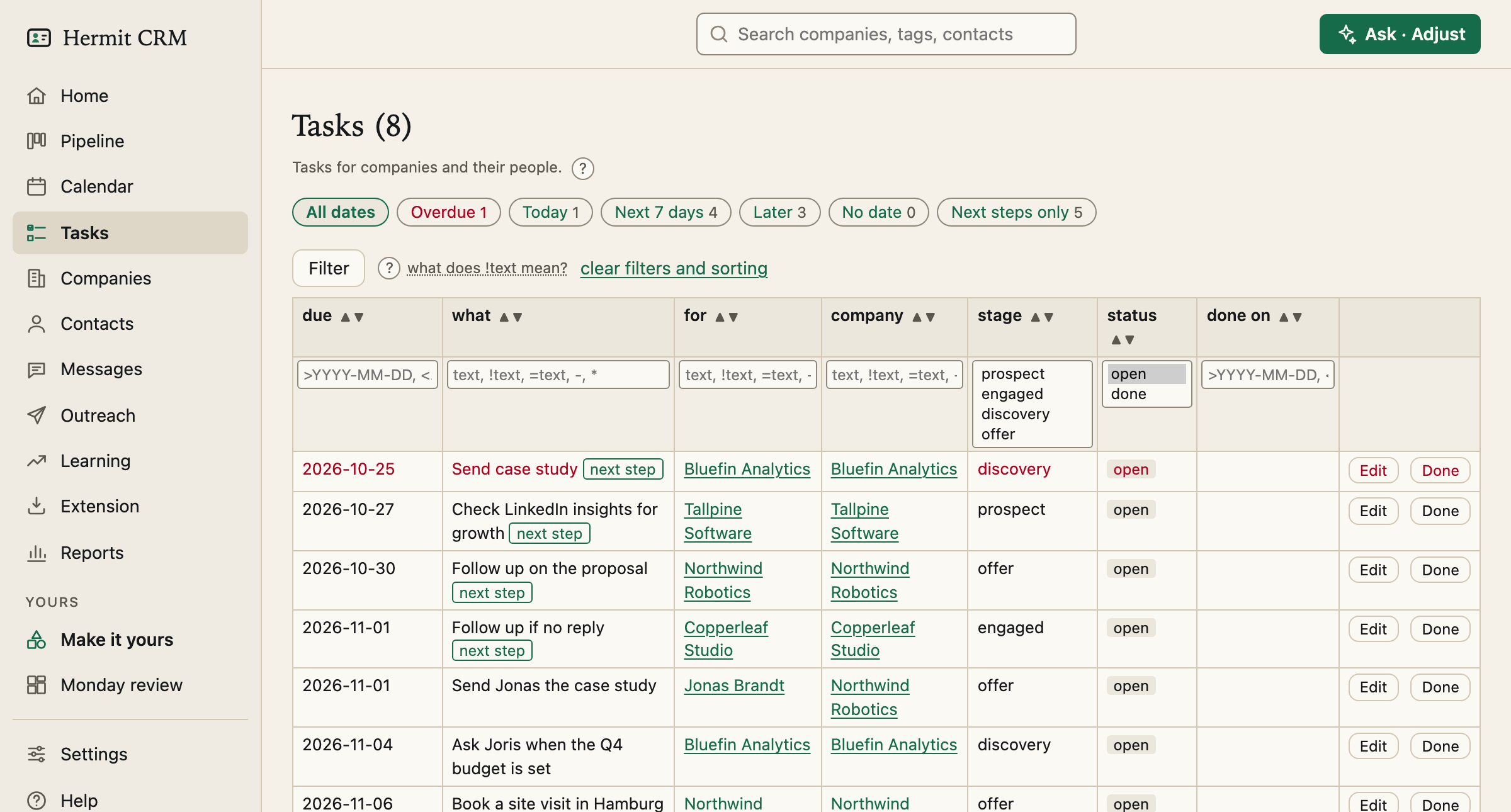
Tasks is the one list of everything you owe: every task for every company and every person at it, with the date buttons and filters you need to find the ones that matter today.
In the left navigation: Tasks
Screenshot of the released version on made-up demo data. Select it to open it full size.
One table, with date buttons
Above the table: All dates, Overdue, Today, Next 7 days, Later and No date, each with a count. Click several to combine them (Overdue plus Today is your top priority), and click one again to turn it off. Next steps only shows one task per company.
The next step, without picking one
A company’s next step is its open task due first, undated tasks after dated ones. It carries a tag, and it also shows on the board, the Companies list and in PIPELINE.md. There is nothing to pin: change a due date or tick the task off, and the next step changes.
Filters that stay in the address
One box per column: due, what, type, for (the company or person), company, stage, status and the day it was done. The page shows open tasks until you pick a status, so finished ones are one choice away, with the day they were done. Filters, date buttons and sorting stay in the address, so a view can be a bookmark, and Done brings you back to the same view.
Your own task types
Give tasks labels such as *pipeline follow-up*, *prospecting* or *lost deals*, each with a colour, under Settings, Task types. A type is only a label: it changes no dates. The type column filters by it, and renaming a type renames it on every task.
Closed companies keep their tasks
Tasks of closed companies (won, lost, disqualified) are listed too, so a reminder to revisit a lost deal in March is not forgotten. To leave them out, filter on the stage. Create task at the bottom takes a company by name, an optional person and a due date, and Edit in a row changes its text or date.
Read the full Tasks page in the docs
Related pages
Hermit CRM is a free, open-source CRM for founders, freelancers and anyone doing their own sales. It runs on your Mac or Linux computer and keeps every company, contact and conversation as a Markdown file in a git folder on your own disk. A local web app gives you a pipeline board, a calendar of next steps, message drafts and reports. AI tools such as Claude Code, Codex or Claude Desktop can read and update the pipeline through the files, a small CLI or the built-in MCP server. It is alpha software under the Apache License 2.0, with no warranty and no support.