Home
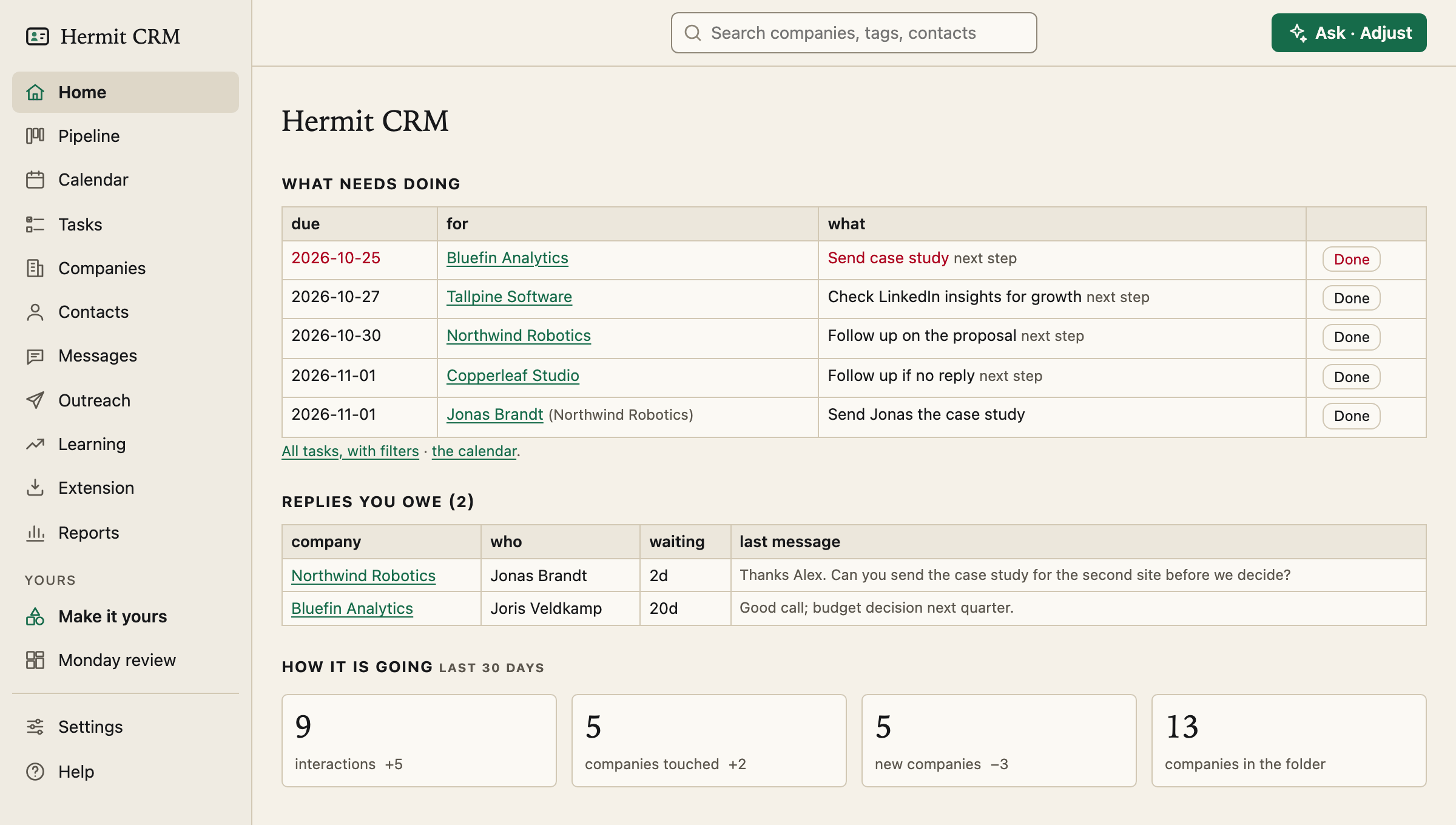
Home is the page you open in the morning. It answers three questions without a click: what is due, who is waiting for a reply from you, and how the last month went.
In the left navigation: Home
Screenshot of the released version on made-up demo data. Select it to open it full size.
What needs doing
Your open tasks for the next seven days, soonest first, with the company or person each one is for. An overdue date is red. Done ticks a task off from here, and a link under the table opens all tasks with their filters or the calendar. The task due first for a company is marked next step.
Replies you owe
Every message someone sent you that you have not answered, with the company, the person, how many days they have waited and a line of what they wrote. Nothing to set up: Hermit reads the interactions you logged, or that BCC and calendar capture logged for you.
How it is going
Four numbers for the last 30 days, each with the change against the 30 days before: interactions, companies touched, new companies and companies in the folder. The Reports page has the full version.
People you have not spoken to
Keep in touch lists the people outside an open deal you have not spoken to in 180 days or more, longest first, so an old contact does not slip away. Do-not-contact tags and people you never wrote to are left out.
Ask the Hermit, on every page
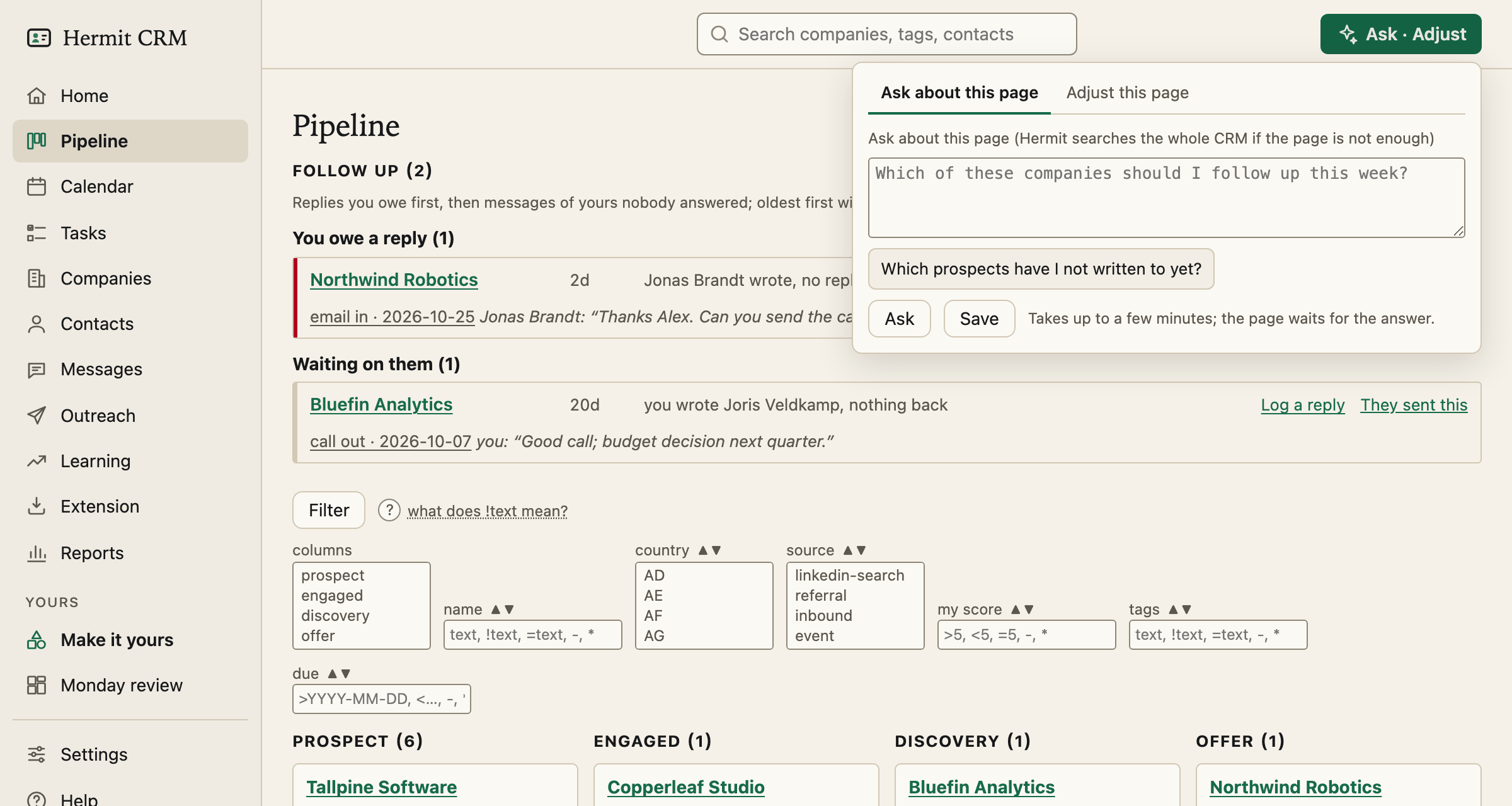
The Ask · Adjust button in the top right of every page opens a panel where you ask a question in plain words, such as who you have not written to yet. Hermit gives your AI tool a compact index of your CRM and the page you are on, and answers in a few seconds with links that open the person or company. If the index is not enough, a second run reads the files in your data folder, read-only: nothing is ever written. Save keeps a question you ask often. It is suggested as you type, the four you ask most are buttons in the panel, and they are kept in ask-questions.toml in your data folder, so they are in your backups.
Getting started, until it is done
A new folder opens on Getting started instead: thirteen steps, each ticked when it has actually happened (the last ones lead to your first outreach draft, mail capture and your own changes), and a tour that points at each part of the screen. Press *Don’t open this at startup*, or tick every step, and the logo opens Home from then on.
Read how the pages fit together in the docs
Related pages
Hermit CRM is a free, open-source CRM for founders, freelancers and anyone doing their own sales. It runs on your Mac or Linux computer and keeps every company, contact and conversation as a Markdown file in a git folder on your own disk. A local web app gives you a pipeline board, a calendar of next steps, message drafts and reports. AI tools such as Claude Code, Codex or Claude Desktop can read and update the pipeline through the files, a small CLI or the built-in MCP server. It is alpha software under the Apache License 2.0, with no warranty and no support.